For most offices and multi-tenant buildings, a key card or fob system covers the everyday doors at the lowest cost per reader. Biometric readers earn their higher price at the handful of doors where you need to know exactly who opened them, such as a server room, a pharmacy cabinet, or an evidence locker. Mobile credentials fit businesses that already issue phones to staff or want to stop paying to reprint lost cards. A PIN pad rarely works alone; it earns its keep as a second check at one sensitive door, paired with a card or an app.
Key card, Fob, Biometric, Mobile, and PIN, Side by Side
| Credential type | Security | Cost | Convenience | Best use |
|---|---|---|---|---|
| Key card | Moderate; can be lost, lent, or cloned with a cheap reader | Low per card and per reader | Tap and go, familiar to almost everyone | General office and building entry doors |
| Fob | Moderate; same sharing risk as a card, harder to clone casually | Low, slightly cheaper to replace than printed cards | Clips to a keyring, works through gloves and in wet weather | Warehouses, gates, and outdoor doors |
| Biometric | High; tied to the person, cannot be handed off | Highest upfront, per-door hardware and enrollment time | No card to carry, but needs a clean read and in-person enrollment | Server rooms, controlled substance storage, data centers |
| Mobile credential | High; revoked instantly from software, no physical token to lose | Moderate; software license instead of printed cards, but phones can be lost or dead | Uses the phone staff already carry; works with Bluetooth or a tap | Multi-tenant buildings, remote staff, fast turnover sites |
| PIN code | Low alone; codes get shared and are rarely changed | Lowest, no card or reader hardware beyond the keypad | No credential to carry, but slower at a busy door | Backup entry or a second factor at one sensitive door |
A Key Card or Fob Only Proves You're Holding it, Not Who You Are
Key cards and fobs work the same way: a reader checks the credential's code against a list of doors it can open. The reader never confirms who is standing there, only that the card or fob in their hand is on the list.
That is the whole tradeoff. Cards are cheap to issue and employees already know how to use them, but a card left on a desk or handed to a coworker opens the door for whoever is holding it. Replacing a lost card is a quick software update, not a locksmith visit, which keeps the ongoing cost low.
Biometric Readers Tie the Door to the Person, Not a Badge in Someone's Pocket
Fingerprint, facial, and iris readers check a physical trait against a stored template, so the door opens for the person, not for whatever they happen to be carrying. That removes the sharing and cloning problems that come with cards.
The tradeoff shows up before anyone uses the door. Each person has to enroll in person, hardware costs more per door, and a dirty sensor or a bandaged finger can slow someone down at a busy entrance. Most readers store a mathematical template of the print or face rather than a photo, but that template is still personal data your IT policy needs to cover.
Mobile Credentials Turn the Phone Employees Already Carry into the Badge
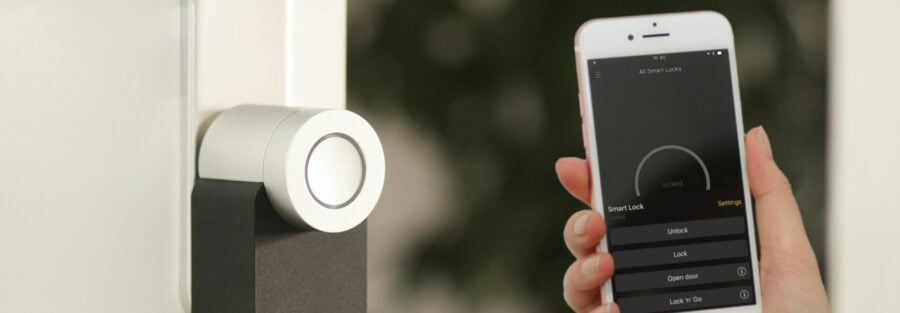
A mobile credential is a digital key inside an app, read by the door controller over Bluetooth or a tap, the same way a transit card works at a turnstile. Because it lives in software, access can be granted or pulled the moment someone joins or leaves, without printing or collecting anything.
The catch is that it depends on a charged, working phone. A property with a lot of contractors, visitors, or staff who do not want a work app on a personal device will run into friction that a card does not have.
Where the Extra Cost of Biometric or Mobile Actually Pays Off
Card and fob systems win on upfront cost at doors where the worst case is a minor inconvenience, a break room, a common hallway, a loading dock gate. The ongoing cost is just the occasional replacement card, which is far cheaper than a biometric reader at every door in the building.
Biometric spending earns its keep at the one or two doors where the question is not convenience but who has access to a specific room: controlled substances, cash, servers, or records a regulator will ask about. Mobile credentials pay off less through the reader itself and more through what you save on card printing and the staff time spent collecting cards from people who leave.
Which System Fits Which Kind of Property
Office buildings and coworking spaces usually run cards or fobs at common entries and reserve a biometric reader for a server closet or records room. Retail stockrooms and cash offices do well with a card plus a PIN backup, since staff turnover is high and cards are easy to reissue.
Warehouses and industrial sites lean toward fobs, which hold up to gloves, dust, and weather better than a card swipe. Healthcare facilities tend to split the two: cards for general staff areas, biometric on medication and controlled substance storage where the audit trail has to name a person, not a badge number. Multi-tenant buildings and properties with frequent staff turnover get the most from mobile credentials, since a property manager can open or close access from a laptop without re-keying anything.
Access Control Pairs with the Cameras and Alarms Already on Site
An access control system is more useful when it is tied to the video and alarm hardware already protecting the building, not running as its own island. A door held open past its normal time can trigger a camera to start recording that entrance, and a forced door can trip the alarm panel instead of waiting for someone to notice.
Visitor management ties into the same system, so a front-desk check-in can issue a temporary card or mobile pass that expires at the end of the day on its own. We design and install access control systems in Houston alongside the cameras, alarms, and monitoring a property already runs, so the credential decision does not have to happen in isolation from the rest of the building's security.
If you are weighing card, biometric, or mobile credentials for a specific building, a walkthrough of your doors and risk points will tell you more than a spec sheet does. Ask about entry and access control and request a quote built around your actual doors.
Frequently Asked Questions About Key Card and Biometric Access Control
Can I mix credential types in the same building?
Yes. Most door controllers support more than one reader type, so a common practice is cards or fobs on general doors and a biometric reader on the one or two rooms that need a named person on the log.
What happens to a departing employee's access on each system?
A card or fob has to be collected or deactivated in software, and if it is never turned in, it stays a live credential until someone remembers to cancel it. Mobile and biometric credentials can be revoked the moment HR flags the departure, since there is no physical token floating around.
Do biometric readers store my employees' actual fingerprints or face photos?
Most systems store a mathematical template built from the scan, not a photo or a full fingerprint image. It still counts as personal data, so it needs the same access limits and secure storage as any other employee record.
What happens if an employee's phone dies or they forget it at home?
A mobile-only building needs a fallback, usually a PIN pad or a handful of spare fobs at the front desk, so one dead battery does not lock someone out for the day.
Is biometric access overkill for a small office?
For most small offices, a card or fob system covers every door that matters. Biometric is worth the extra cost only where one specific room, like a server closet or a records room, needs a stricter log than a badge number.
Can I add biometric or mobile readers to an existing key card system without replacing it?
Often yes. Many controllers accept a second reader type at a specific door, which lets you upgrade one sensitive entry without rebuilding the access control system across the whole property.